Google Business Profile Walkthrough
Click & drag through the pictures to stay on track
Step 1: Create Your Account
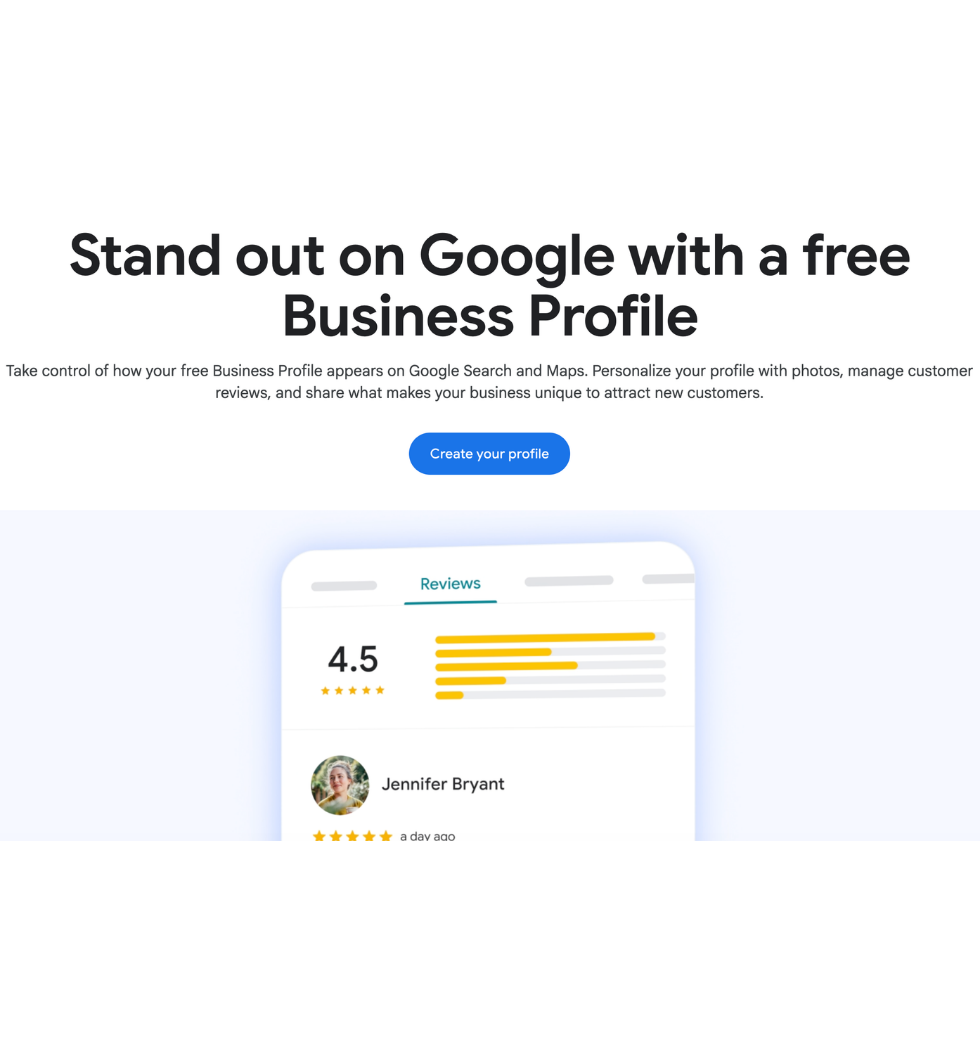
- Click the “Start Your Google Business Profile” button below.
- Click the “Manage Now” Button
- Sign in with your Google account. If you don’t have one, create a new account.
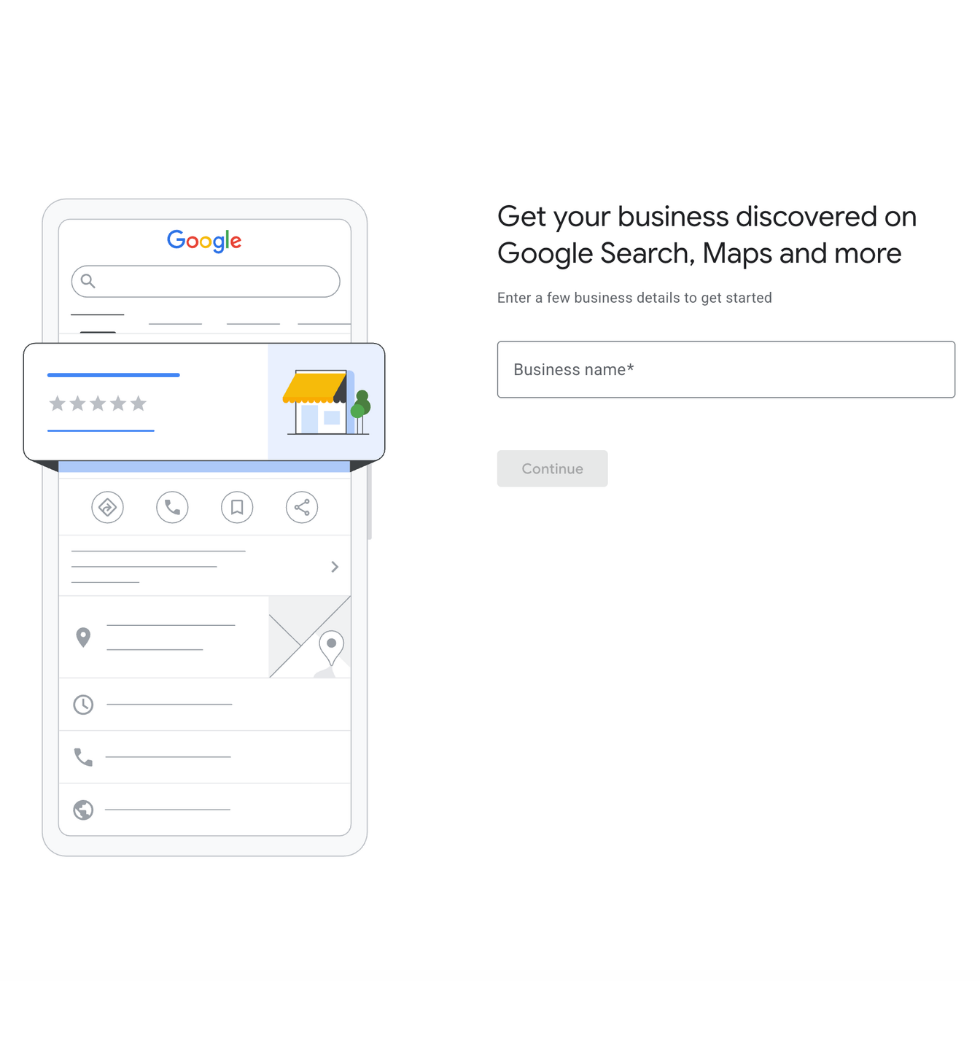
- Add your business name and click Continue.
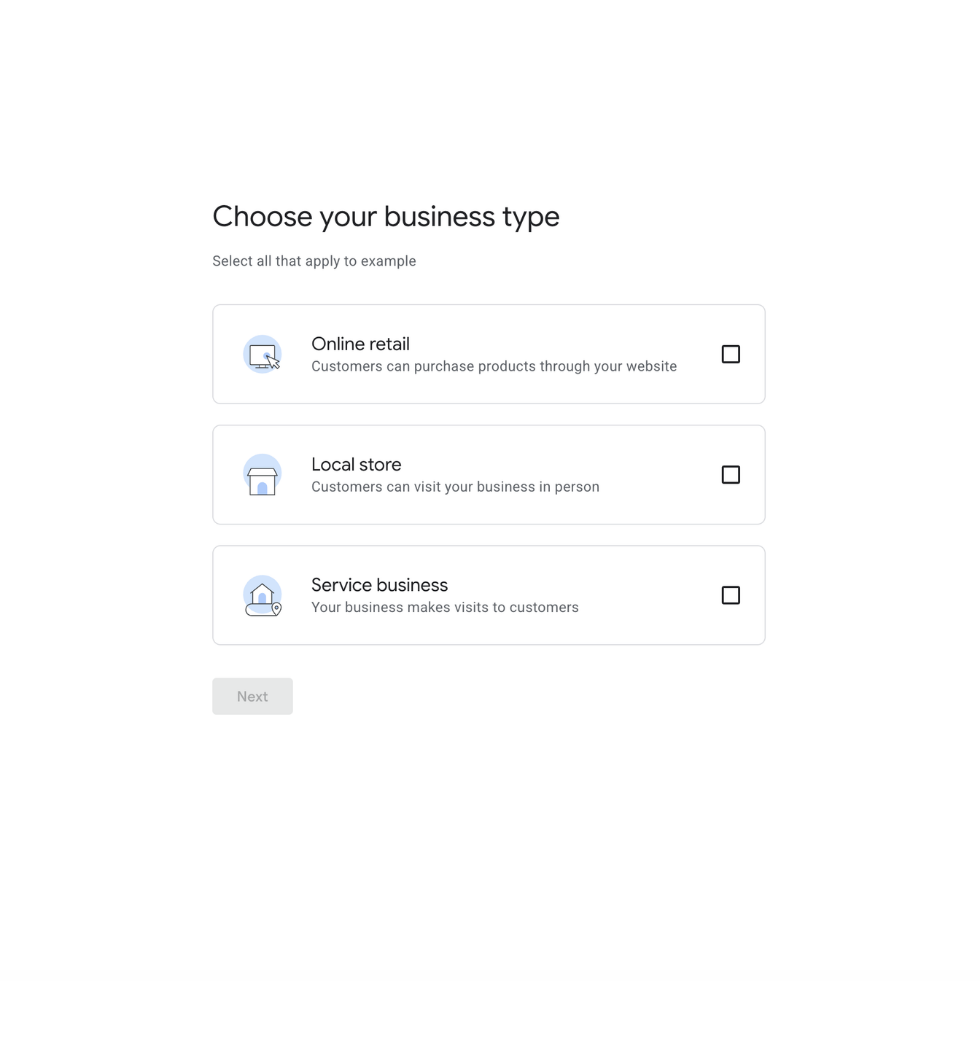
- Checkmark all that apply to your business type & click Next.


Click & drag through the pictures to stay on track
Step 2: Add Your Business Information
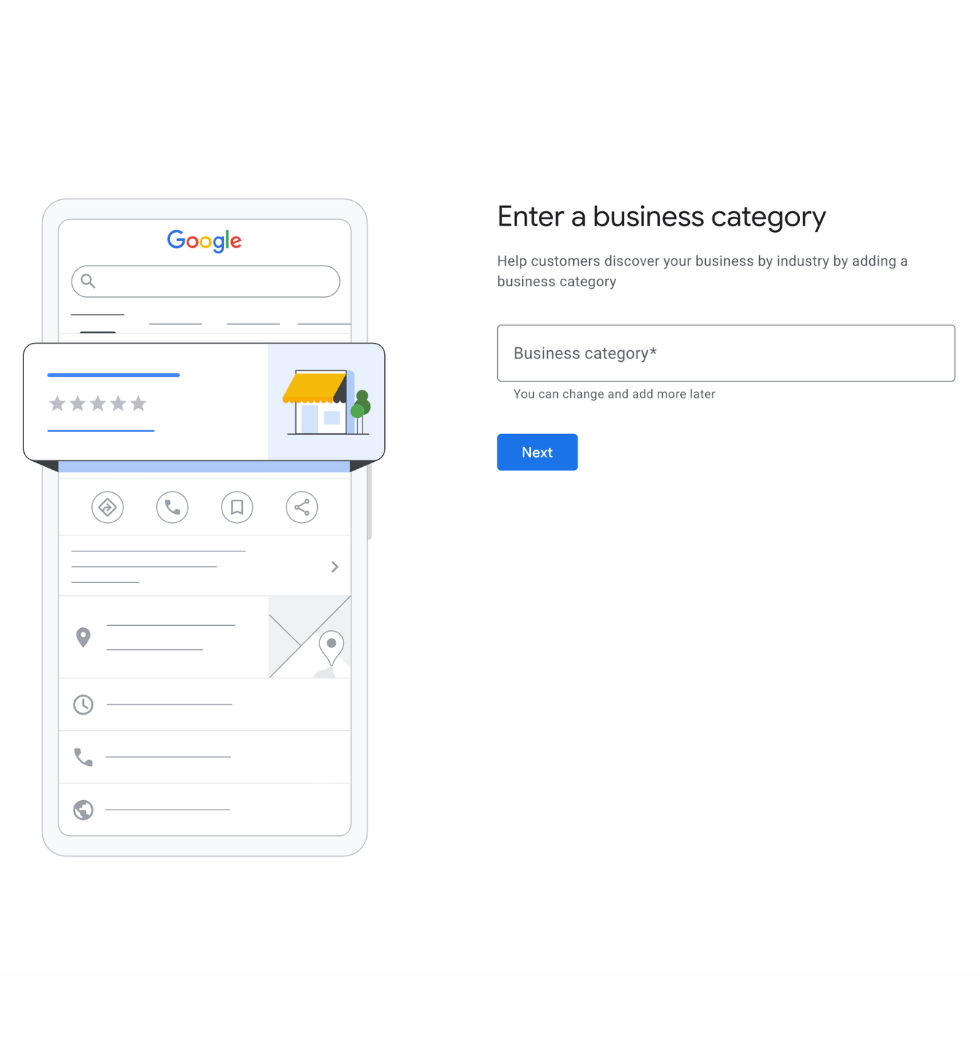
- Type your business category/industry or search for suggestions & click Next.
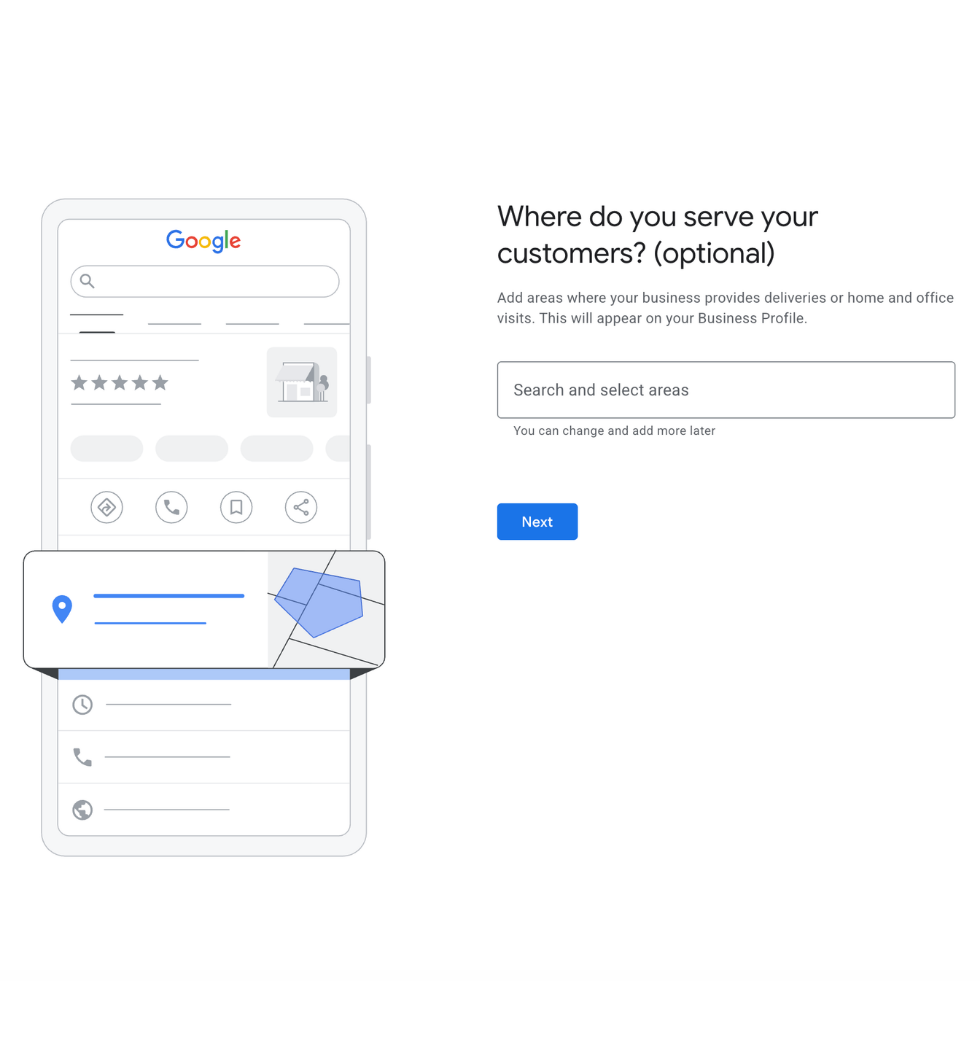
- Enter your Business Address. If you don’t have a physical location, don’t worry; your Google profile doesn’t have to show it to the public. Sometimes they will need an address linked. Here you’ll also add your service areas.
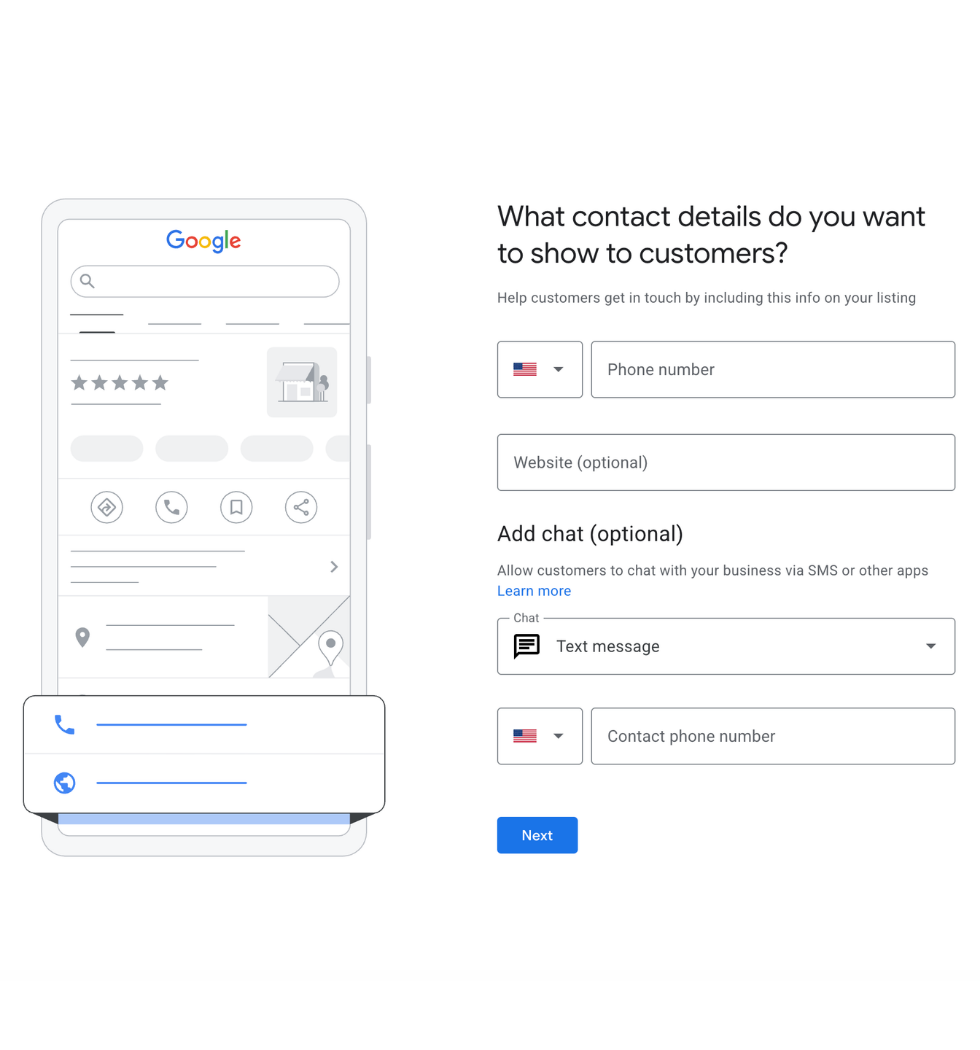
- Add your business phone number and website, then click Next. If you don’t have one, just click Skip.
- Now the fun part: Add Your Products/Services & click Next.
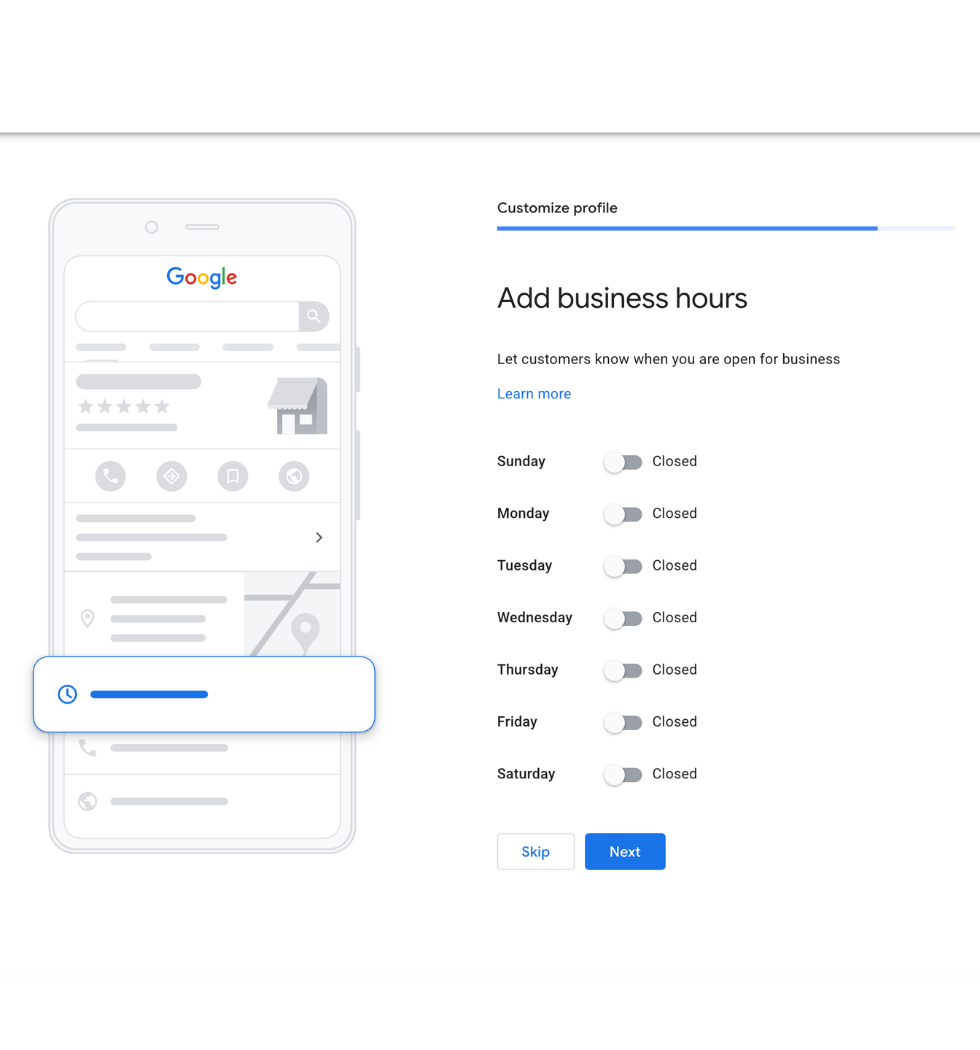
- Next, add your business hours & click Next.
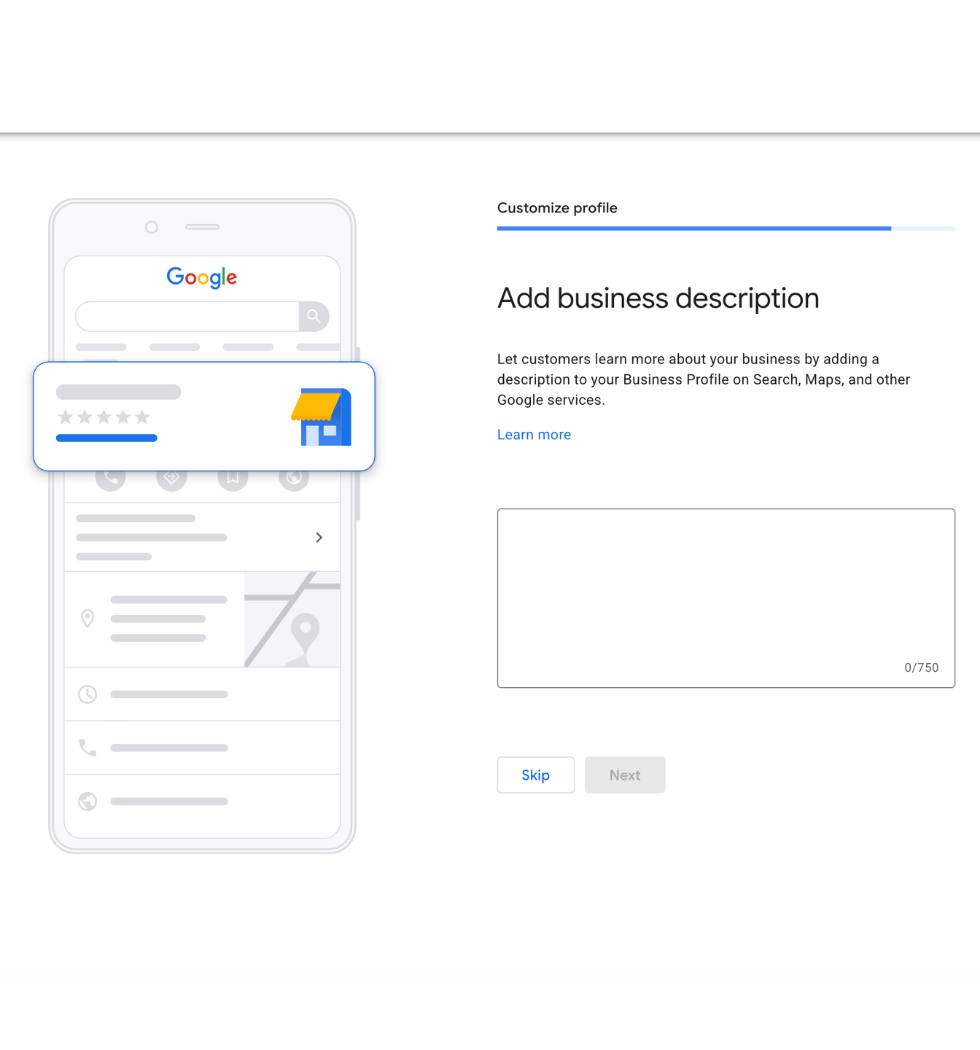
- Don’t forget a business description. Pro tip: including your services and keywords can help you rank on search engines for those offerings. Then click Next.
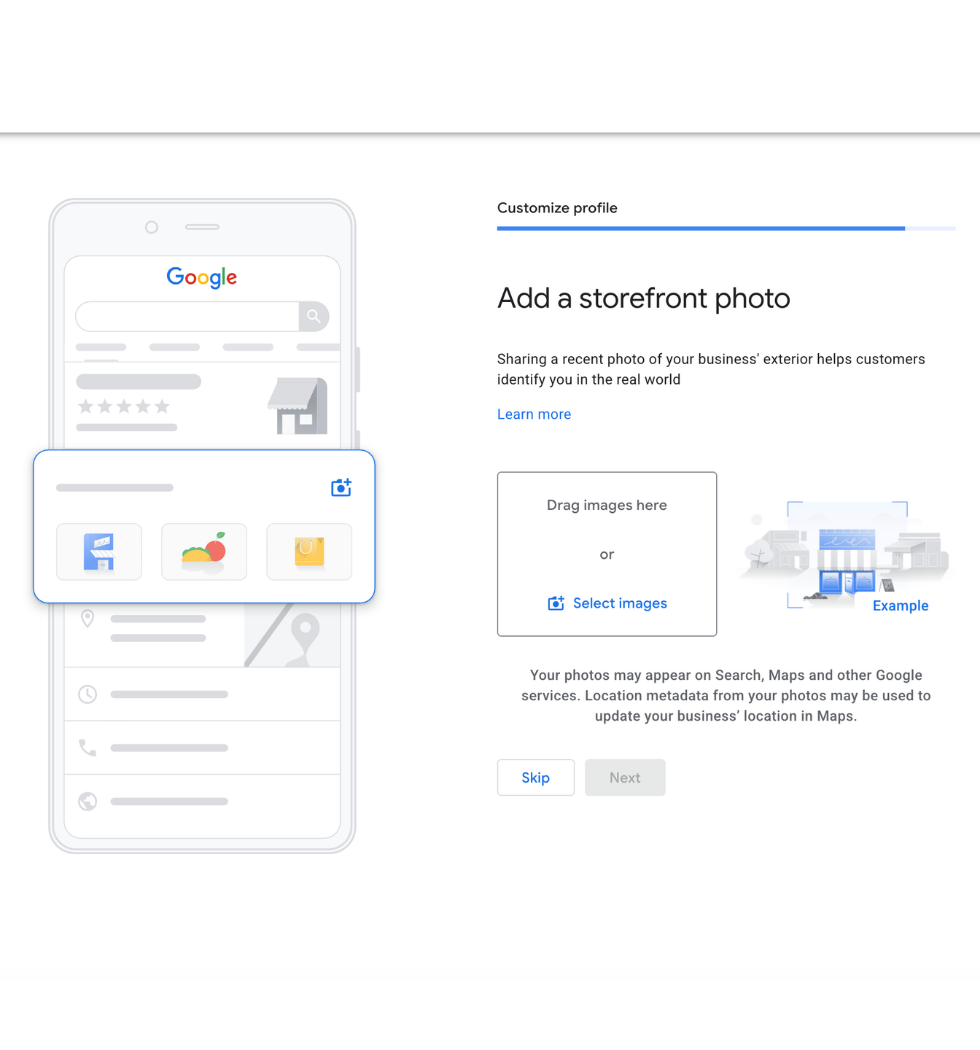
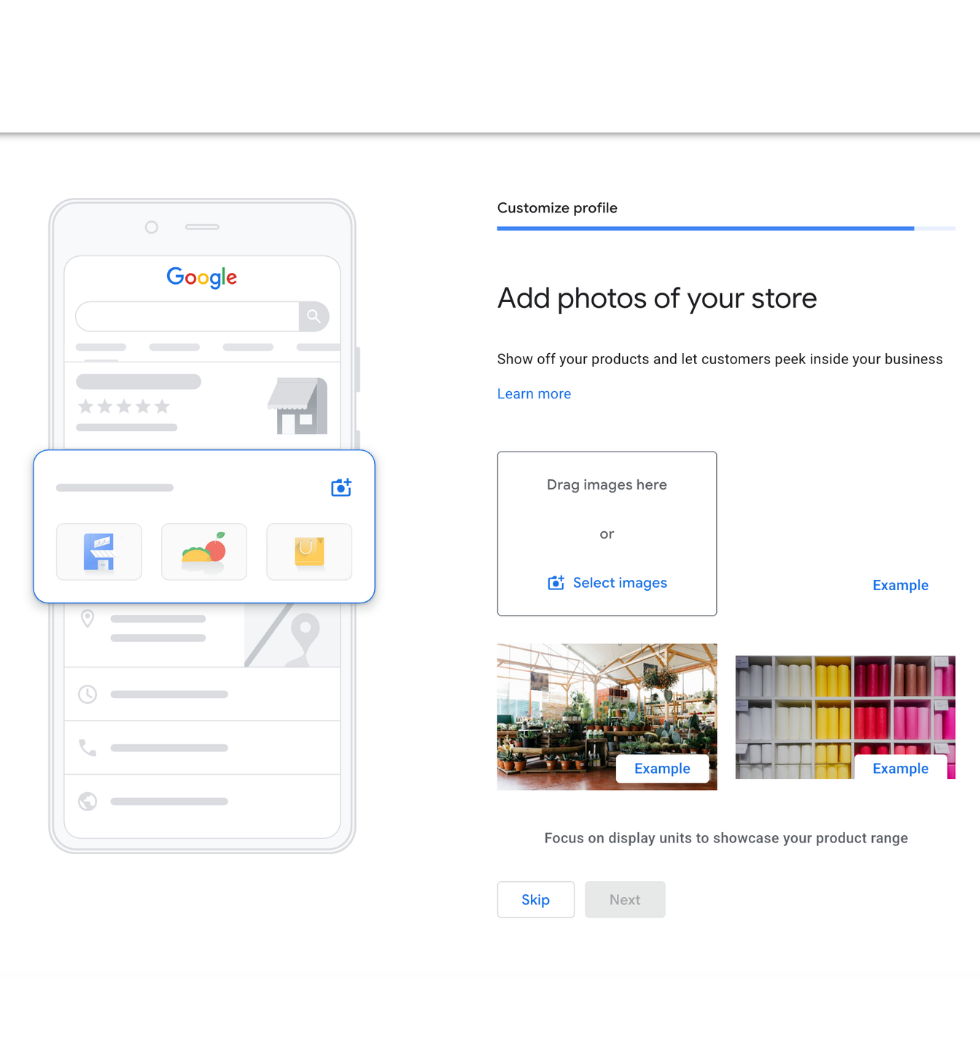
- Finally, add photos of your logo, team, & other pictures related to your business to really show your brand personality!
Click & drag through the pictures to stay on track
Step 3: Optional Google Services
- The $500 credit for advertising is only used if you’re considering Google ads, so click skip if that isn’t in your current plans.
- Google offers their Google Workspace package with additional services. They are good, but of course we have to also recommend using our Enliven Workspace as well. Did we mention we have personalized support as well?


Click & drag through the pictures to stay on track
Step 4: Customizing Your Profile
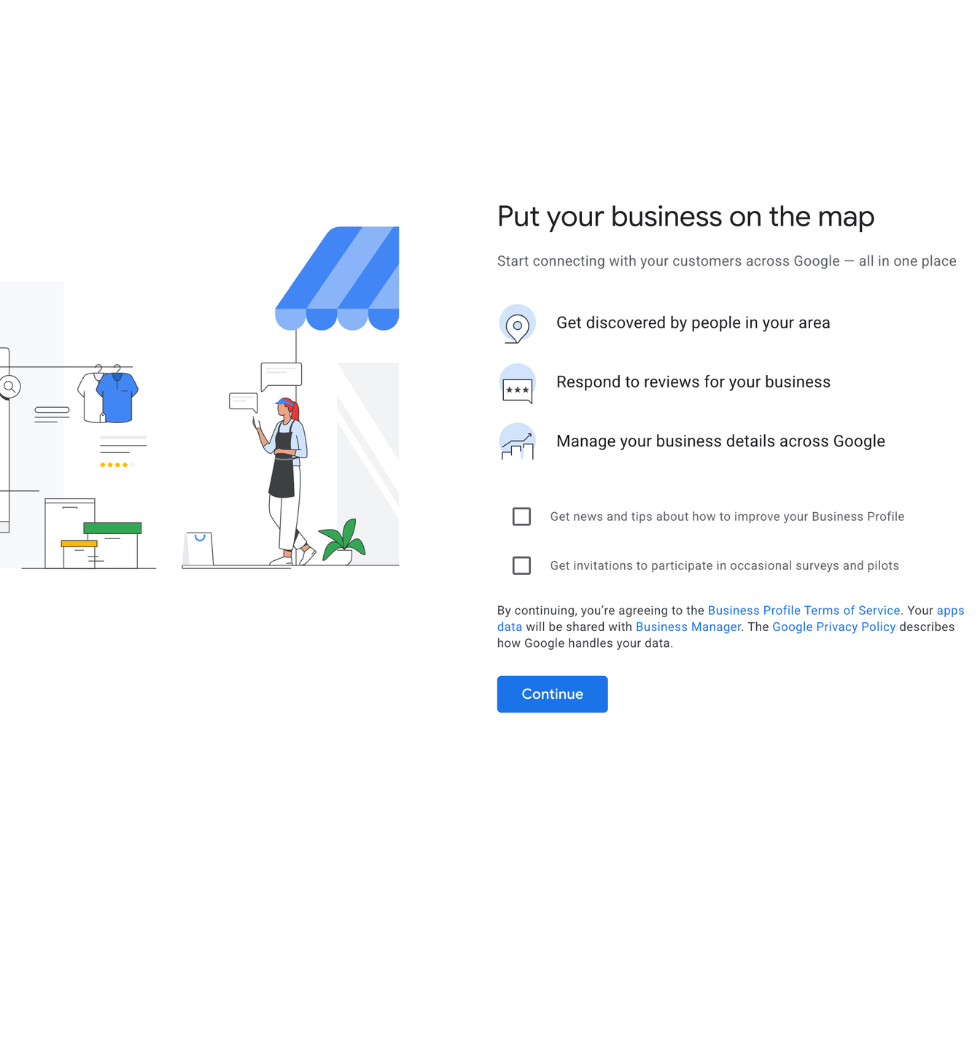
Congratulations you should now have a Google Profile!
- On your Google Profile, you’ll see a Menu Board with various features to customize your profile & including our favorite “send reviews,” which invites people to leave a review.
- Ask about our Online Reputation Services to grow your reviews!
- On the right side, you will see your new Google Profile! Be sure to optimize your profile by adding as much relevant information as you can so Google can recommend you to your relevant customers!
Hide Your Address
- For those of you who do not show a business location and want to hide your address, select Edit Profile & click Location.
Lastly, thanks a ton for being here; we hope it was helpful. If this step-by-step was helpful, would you please leave us a review?
Frequently asked questions
Google Business Profile FAQs
What is a Google Business Profile?
A Google Business Profile (formerly Google My Business) is a free tool from Google that allows businesses to manage how they appear across Google Search and Google Maps. It displays important information like your business name, location, hours, services, photos, reviews, website link, and customer updates.
A properly optimized profile helps customers discover your business when they are actively searching for products or services like yours.
Why is a Google Business Profile important for my business?
Your Google Business Profile is often the first impression potential customers have of your business. Before visiting your website or contacting you, many customers will check your Google listing to see your reviews, services, photos, location, and credibility.
An optimized profile helps improve your visibility in local search results, builds trust with customers, and creates more opportunities for phone calls, website visits, and in-person visits.
Does every business need a Google Business Profile?
Any business that interacts with customers locally can benefit from a Google Business Profile. This includes:
- Service-based businesses (roofers, contractors, plumbers, electricians, landscapers)
- Medical and healthcare providers
- Restaurants and retail stores
- Professional services (law firms, insurance agencies, accountants)
- Automotive businesses
- Salons, spas, and wellness providers
- Nonprofits and community organizations
- Multi-location businesses
If customers search for your services online, your Google Business Profile plays a role in whether they find you or your competitors.
Is a Google Business Profile only for businesses with a physical location?
No. Businesses that travel to customers — such as contractors, home service companies, mobile services, and consultants — can still use a Google Business Profile by setting up a service area.
Your profile can help you appear in searches from customers within the areas you serve.
How does a Google Business Profile help with SEO?
Your Google Business Profile is a major part of local SEO (search engine optimization). Google uses information from your profile — including your business category, services, reviews, photos, posts, and customer engagement — to determine when your business should appear in local search results.
A well-optimized profile increases your chances of showing up in the “Map Pack,” the local listings that appear at the top of Google search results.
Can a Google Business Profile help me get more customers?
Yes. When optimized correctly, your profile can turn online searches into real business opportunities by encouraging customers to:
- Call your business
- Visit your location
- Request directions
- Submit inquiries through your website
- Read reviews and learn about your services
The goal is not just more visibility — it’s attracting customers who are ready to take action.
What happens if my Google Business Profile is incomplete or outdated?
An incomplete profile can cause customers to lose trust or choose a competitor. Missing information, outdated hours, limited photos, poor descriptions, or unanswered reviews can make your business appear less active or credible.
Your Google Business Profile should be treated as an active marketing channel, not just an online directory listing.
How often should I update my Google Business Profile?
Your profile should be regularly updated with fresh content such as:
- New photos
- Customer reviews and responses
- Business updates
- New services
- Seasonal promotions
- Google Posts
Consistent activity signals to both Google and customers that your business is active and trustworthy.
Can Enliven Collective Marketing help optimize my Google Business Profile?
Yes. Enliven Collective Marketing helps businesses optimize their Google Business Profile by improving visibility, strengthening local SEO, enhancing business information, creating content strategies, and helping businesses turn searches into leads.
Our goal is to make sure your business is positioned in front of the right customers at the right time.
Immersive audio design
Experience rich, clear sound that elevates your brand’s story.
Cinematic video services
Bring vision to life with vibrant, high-quality video content.
Live event streaming
Stream your next event to reach more fans and viewers live.
Creative concepting
Let’s shape bold ideas and craft unique stories together.
